How to Buy and Charge a Suica and Ask for Help
To buy a Suica in Tokyo, go to the ticket machines at a station: the course notes that Suica and PASMO, the Tokyo cards, are back on sale at station machines. If you need help, ask a station attendant ICカードを買いたいんですが (I’d like to buy an IC card). To add money later, the word is チャージ, charge, and the question is チャージはどこでできますか? (where can I add money to my card?). In a shop, you can pay with the same card by saying 交通系でお願いします. Below are the lines you need around the card, with recordings from Koe’s getting-around and convenience store units.
What a Suica is, in one paragraph
Suica is a prepaid, rechargeable contactless card. You load money onto it, touch it at the ticket gate, and the fare comes off. It also works as electronic money in shops, especially convenience stores, and at many station vending machines and lockers. Suica and PASMO work on each other’s lines, and Suica works with the other regional IC cards across Japan, so whichever of the two you end up with, it does the same job. The course calls the whole family 交通系, transit cards.
Asking to buy an IC card
You can buy a card at a machine without saying a word. When you want a person, or a machine has none, this is the line:
You say
ICカードを買いたいんですが。
IC kādo o kaitain desu ga.
I’d like to buy an IC card.
IC カード is what Japanese calls these cards, so you do not need to choose between Suica and PASMO when you ask. The course explains the ending: たいんですが is a soft I’d like to, trailing off for the other person to help. You state what you want, and the attendant does the rest.
There is also a version that lives on your phone. Suica can be added to Apple Pay in the Wallet app, and to Google Wallet on eligible Android phones. The course notes a phone wallet as the fallback when a station machine has no cards.
Charging your card: the word and the place
Adding money has its own loanword, チャージ, from the English charge. Here is the question, with the course’s note on where it happens:
You ask
チャージはどこでできますか?
Chāji wa doko de dekimasu ka?
Where can I add money to my card?
チャージ, charge, is adding money to an IC card. Every ticket machine does it, and so does the fare adjustment machine inside the gates.
So the answer is any ticket machine. If you cannot find one, the question above gets you pointed to the nearest.
The other machine worth knowing sits inside the gates:
You ask
精算機はどこですか?
Seisanki wa doko desu ka?
Where’s the fare adjustment machine?
The 精算機 stands inside the gates: it adds money to a card that’s short, or settles a paper ticket that didn’t cover the ride.
精算機 is the fare adjustment machine. The note says it adds money to a card that is short, or settles a paper ticket that didn’t cover the ride. You will mostly meet it at the end of a ride, if the balance runs out on the way.
Checking a fare before you ride
With an IC card you do not need to know the fare in advance. The gate works it out. But if you want to know whether your balance will cover a trip, ask:
You ask
渋谷までいくらですか?
Shibuya made ikura desu ka?
How much is it to Shibuya?
まで is to, as far as. The fare map above the machines shows it too.
まで is to, as far as, and the course notes that the fare map above the machines shows it too. Swap Shibuya for your own station.
At the gate: touch here, and when the card is short
At the gate, you touch the card to the reader. If you hesitate, a station attendant may point and say:
Murakami-san, the station attendant, says
ICカードはこちらにタッチしてください。
IC kādo wa kochira ni tatchi shite kudasai.
Touch your IC card here.
タッチ is touch, and こちらに is here. If the gate shuts instead, go to the window beside it and say すみません、改札が通れません. In Koe’s scene at Shinjuku, the attendant checks the card and gives you the two lines below: not enough on your card, and please add money at the fare adjustment machine over there.
Murakami-san, the station attendant, says
残高が足りませんね。
Zandaka ga tarimasen ne.
There isn’t enough on your card.
Murakami-san, the station attendant, says
あちらの精算機でチャージしてください。
Achira no seisanki de chāji shite kudasai.
Please add money at the fare adjustment machine over there.
残高 is the balance. So in the course, a gate that will not open is a card that needs a charge, and the fix is a stop at the 精算機. Our post on what to say when the ticket gate won’t open walks through that moment line by line.
When you have what you need, close it:
You say
分かりました。ありがとうございます。
Wakarimashita. Arigatō gozaimasu.
Got it. Thank you.
Paying in shops with your transit card
Your card is also a wallet. At a konbini register, the course teaches this line:
You say
交通系でお願いします。
Kōtsūkei de onegai shimasu.
With my transit card, please.
At some chains you pick the payment on a small screen facing you and feed cash into the machine yourself; at others you tell the clerk, and this is the line. 交通系 is the word for transit cards, Suica, PASMO and the rest. Saying the card’s name, スイカで, is fine too.
The note covers both kinds of register. At some chains you choose the payment yourself on a small screen facing you. At others you tell the clerk, and this is the line. Saying the card’s name, スイカで, is fine too. At the screen kind, the clerk will ask you to choose:
Tamura-san, the night clerk, says
お支払い方法を画面でお選びください。
Oshiharai hōhō o gamen de oerabi kudasai.
Please choose how to pay on the screen.
For the rest of the konbini register, from the bag to the receipt, see what konbini staff ask you and how to answer.
Your first day with the card, in order
- At the station, buy a card at a ticket machine. If you need help, say ICカードを買いたいんですが.
- Charge it at the same machine. Later, if you cannot find one, ask チャージはどこでできますか?.
- Not sure what a trip costs? Ask 渋谷までいくらですか? with your station’s name, or read the fare map.
- At the gate, touch the card. If an attendant says ICカードはこちらにタッチしてください, touch it where she points.
- If the gate shuts, say すみません、改札が通れません, listen for 残高, and head to the 精算機.
- At the konbini, pay with 交通系でお願いします.
Every line on this page is a recording from Koe’s course, and the app has you hear each line, say it out loud, and then shows you what it heard. The station attendant’s lines are worth a few listens before your trip, because you will need to act on them with people waiting behind you.
Every line on this page
The 10 lines above, in order, for one last listen before you go. Each one is the recording from the Koe course.
ICカードを買いたいんですが。IC kādo o kaitain desu ga.I’d like to buy an IC card.
チャージはどこでできますか?Chāji wa doko de dekimasu ka?Where can I add money to my card?
精算機はどこですか?Seisanki wa doko desu ka?Where’s the fare adjustment machine?
渋谷までいくらですか?Shibuya made ikura desu ka?How much is it to Shibuya?
ICカードはこちらにタッチしてください。IC kādo wa kochira ni tatchi shite kudasai.Touch your IC card here.
残高が足りませんね。Zandaka ga tarimasen ne.There isn’t enough on your card.
あちらの精算機でチャージしてください。Achira no seisanki de chāji shite kudasai.Please add money at the fare adjustment machine over there.
分かりました。ありがとうございます。Wakarimashita. Arigatō gozaimasu.Got it. Thank you.
交通系でお願いします。Kōtsūkei de onegai shimasu.With my transit card, please.
お支払い方法を画面でお選びください。Oshiharai hōhō o gamen de oerabi kudasai.Please choose how to pay on the screen.
Common questions
Where can I buy a Suica card in Tokyo?
At station ticket machines: the course notes that Suica and PASMO, the Tokyo cards, are back on sale there. If you need help, ask an attendant ICカードを買いたいんですが. Suica can also be added to Apple Pay in the Wallet app, and to Google Wallet on eligible Android phones.
Can I use a Suica on PASMO lines and outside Tokyo?
Suica and PASMO work on each other’s lines, and Suica works with the other regional IC cards across Japan.
How do you say “top up” in Japanese?
The word is チャージ, charge. To ask where to do it, say チャージはどこでできますか?. The course notes that every ticket machine does it, and so does the fare adjustment machine inside the gates.
Can I pay for things in shops with a Suica?
Yes. Suica works as electronic money in shops, especially convenience stores, and at many station vending machines and lockers. At a register, say 交通系でお願いします, with my transit card, please.
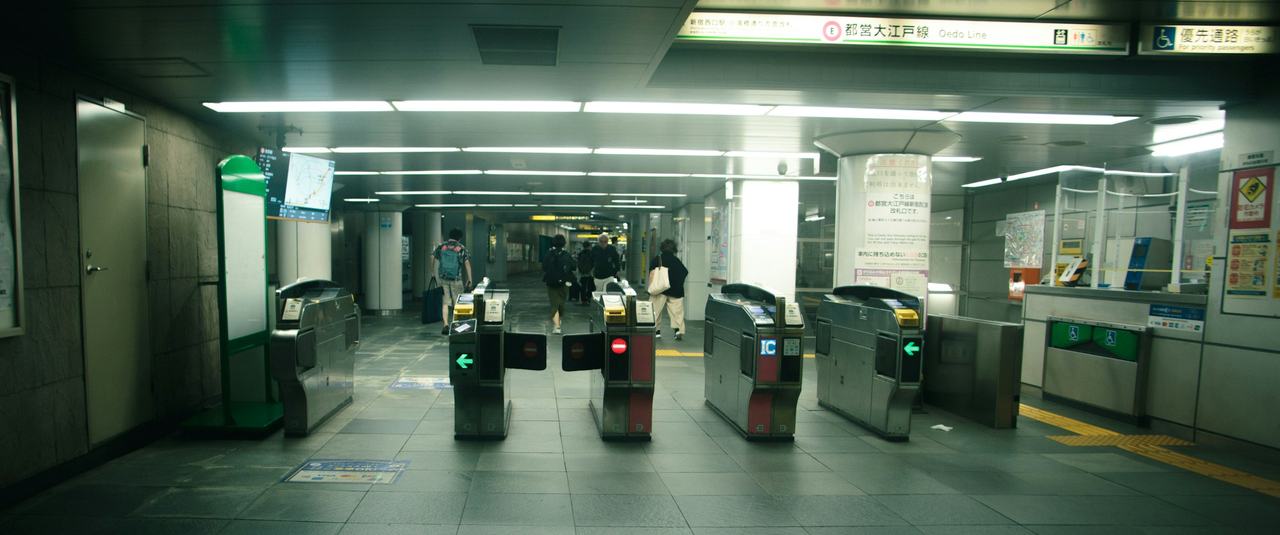
Opening photograph: Ticket gates at Shinjuku station in Tokyo. Photograph by Thiago Yonamine on Unsplash. Blog photo credits.