
 Sori Korean for Mac, set in Seoul
Hear Seoul. Say it back.
Sori is a Korean speaking course for your Mac. Twelve everyday situations in Seoul, from your first hello to ordering chicken on the phone, and you say every line out loud.
뭐 드릴까요?
What can I get you? 지민, at her café.
Free for 24 hours, then $19.99 once. One license for up to 3 Macs. macOS 14 Sonoma or later, 27.8 MB.

Your first minute. 지민’s café.
지민 says it, and you say it back
안녕하세요.
annyeonghaseyo
Hello.
Sori opens here. 지민, the barista, says hello. You hold Space and say it back, and Sori shows each syllable it heard.
Twelve situations. One walk across Seoul.
From your first hello to ordering chicken on the phone. Each unit opens when you finish the one before it, and the phrases you learn go into Review. Here is one line from each. Press play: these are the course’s own recordings.

First morning. The neighborhood, and 지민’s café.
Unit 1
Hello
Hello and goodbye, thanks and sorry, yes and no. The words you use all day.
You say
괜찮아요.
gwaenchanayo
It’s okay.
Unit 2
Nice to meet you
Your name, where you are from, and nice to meet you.
You say
만나서 반가워요.
mannaseo bangawoyo
Nice to meet you.
Unit 3
At the café
지민’s café: drinks, for here or to go, sizes and extras, and paying.
You say
포장이요.
pojang-iyo
To go.

Out into the city. A food stall, a convenience store, the subway.
Unit 4
Numbers and prices
Prices in won, counting things, asking how much, and a street food stall.
You say
떡볶이 하나 주세요.
tteokbokki hana juseyo
One tteokbokki, please.
Unit 5
The convenience store
A bag or not, paying by card, topping up a transit card, a hot lunch box and the one plus one deals.
You say
교통카드 충전돼요?
gyotongkadeu chungjeondwaeyo?
Can I top up a transit card here?
Unit 6
Getting around
Asking the way, meeting at a subway exit, and taking a taxi.
You say
몇 번 출구예요?
myeot beon chulguyeyo?
Which exit is it?

Late. A friend is waiting at the station.
민준, your friend, says
강남역에서 만나요.
gangnam-yeogeseo mannayo
Let’s meet at Gangnam Station.
You say
십일 번 출구 앞에서 봐요.
sibil beon chulgu apeseo bwayo
See you in front of exit 11.
In Seoul, friends often meet at a numbered subway exit. Unit 6 teaches you to ask which one, and to say where you’ll be.
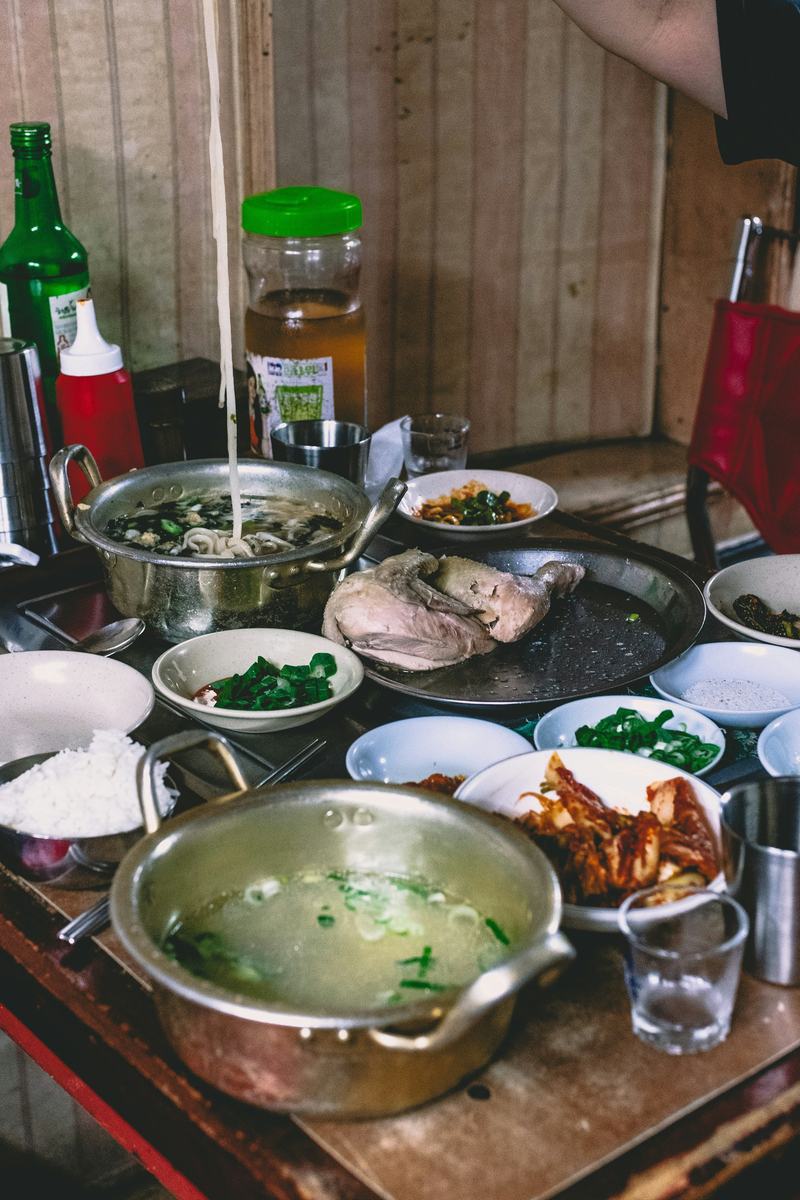
Evening. Dinner, a market, a plan.
Unit 7
At a restaurant
A table for two, ordering and asking for less spice, water and side dishes, and paying.
You say
반찬 좀 더 주세요.
banchan jom deo juseyo
Some more side dishes, please.
Unit 8
Shopping
Prices and colors, trying things on, sizes, a discount, and I’ll take it.
You say
입어 봐도 돼요?
ibeo bwado dwaeyo?
Can I try it on?
Unit 9
Time and plans
Telling the time, making plans to meet, the weekend, and when a place opens and closes.
You say
여기 몇 시까지 해요?
yeogi myeot sikkaji haeyo?
What time are you open until?

The days after. A new friend, a pharmacy, chicken at the door.
Unit 10
Making friends
Hobbies, what you like and don’t, inviting someone along or saying no, and keeping in touch.
You say
카톡 해요?
katok haeyo?
Are you on KakaoTalk?
Unit 11
Feeling unwell
Saying what hurts, asking at the pharmacy, how to take it, and asking after a friend.
You say
감기약 있어요?
gamgiyak isseoyo?
Do you have cold medicine?
Unit 12
On the phone
Answering the phone, ordering chicken for delivery, giving your address and talking to the rider.
You say
문 앞에 놔 주세요.
mun ape nwa juseyo
Please leave it at the door.
Every lesson works like this.
One short situation, four steps, a few minutes. Someone from Seoul speaks first, and you speak in every step.
Listen
A short scene at natural speed. Then play any line again, slowly if you like.
Say it
The scene’s phrases, one at a time. See what was heard, with anything that came out differently marked.
Make it yours
A situation in English. You answer in Korean with one piece swapped.
Your turn
Now you are in the scene. Someone speaks to you, you answer, and they answer you back.
Listen
Say it, 1 of 5
아이스 아메리카노 한 잔 주세요.
One iced americano, please.
Understood
아이스아메리카노한잔주세요
Make it yours
Ask for a latte instead.
카페라테 한 잔 주세요.
Your turn
The lesson screen, redrawn for this page. The lines, the syllable tiles and the recording are Sori’s own.

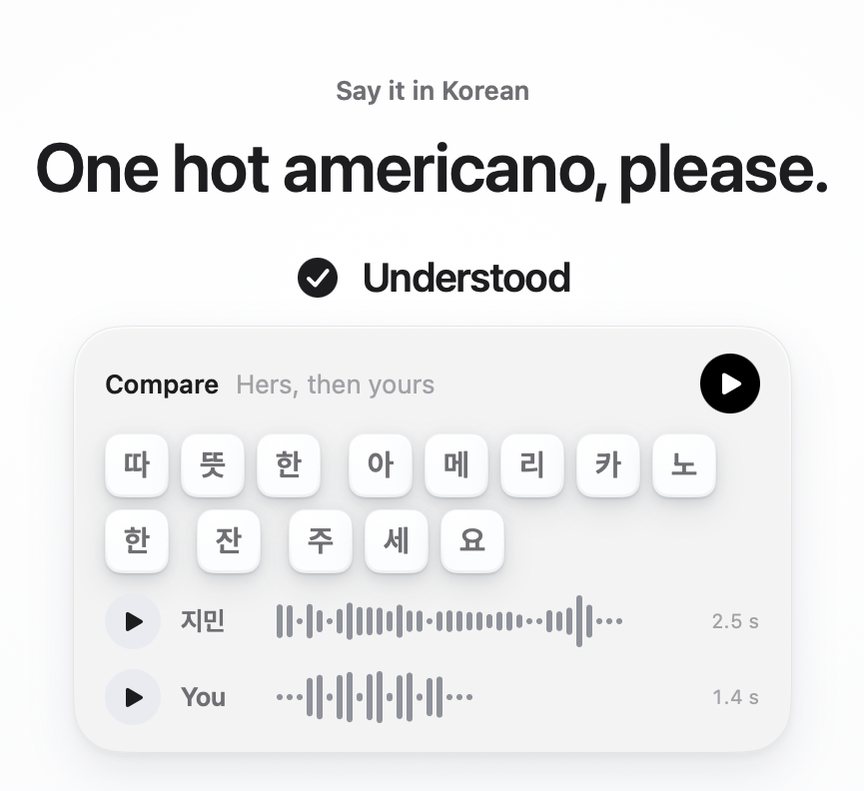
Hold Space. See what came through.
Sori listens only while you hold Space or the talk button. Then it tells you one of three things.
- UnderstoodThe line came through. Each syllable Sori heard shows as a tile, and Compare plays her line, then your take.
- AlmostA syllable came out differently, and Sori marks which one.
- Not quiteThe line didn’t come through. Sori shows what it heard above the phrase, lets you hear your take, then hers, and you try again.
Rather not hold Space? Turn on Press to speak in Settings: press once to start and once to stop. Somewhere you can’t speak out loud? Switch to In my head: say each line silently, then check it. Your progress counts the same.
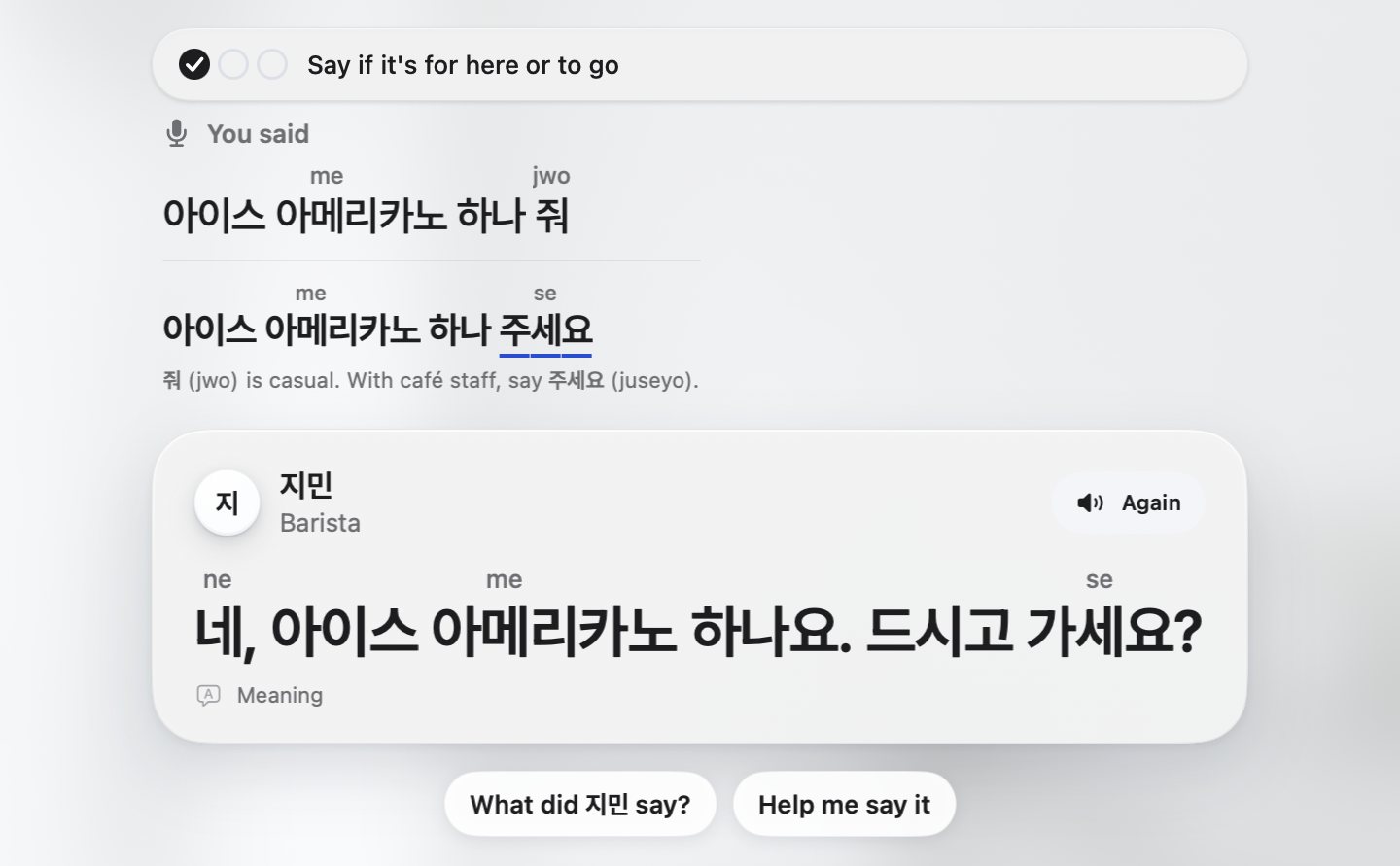
Then talk, and keep what you learn.
Step into a scene with a partner who answers out loud, in Korean, at your level. Your line shows as it was heard, and you can ask for help in English when you’re stuck.
Talk needs an internet connection. Lessons and Review open without one.
A few minutes brings it back.
The phrases you learn come back in Review when they’re due, a few minutes at a time. Some you hear and choose what they mean; some you say from their meaning.
Sori, 소리, is Korean for sound.
Free for 24 hours. Then $19.99, once.
Try all of Sori free for 24 hours: lessons, Review and Talk. Then one license keeps it going on up to 3 Macs, with your progress just where you left it. No subscription, no account to make.
Price in US dollars. The checkout is run by Dodo Payments, and your license key is in the receipt email. The download is 27.8 MB.
- Free for 24 hours from the first time you open it. The hours left show in Settings, under License, and nothing else interrupts you.
- Up to 3 Macs. To move the license, click Deactivate This Mac on the old one.
- Refunds within seven days. Write to us from the email you paid with. You don’t need to give a reason.
- macOS 14 Sonoma or later. Apple silicon or Intel. Signed and notarized by Apple.
- No account. No tracking. No ads either. Your takes stay on your Mac and are deleted when the lesson ends. To check what you said, Sori sends a take that has speech in it to its server, which has it turned into text and keeps neither the audio nor the text. Read the privacy policy.
Questions
What do I need to use Sori?
A Mac with macOS 14 Sonoma or later, Apple silicon or Intel. You speak through the microphone, and checking what you said and Talk need an internet connection.
How does the free trial work?
Everything in Sori is open for 24 hours from the first time you open it: lessons, Review and Talk. The hours left show in Settings, under License, and at the foot of Home. When the trial ends, your progress is kept. During the trial, Talk has a smaller daily limit.
Can I use my license on more than one Mac?
Yes, on up to 3 Macs: activate the same key on each one. To move it to another Mac, open Settings, License on the old one and click Deactivate This Mac, then activate the key on the new one.
Can I use it without speaking out loud?
Yes. Turn on In my head in a lesson or in Settings. You say each line in your head, then check it, and your progress counts the same. A Mac without a microphone works this way too.
Does Sori work offline?
Lessons and Review open without a connection. Checking what you said needs one, and so does Talk. Offline, say each line in your head, then check it.
How do I get a refund?
Write to hey@everydaymactools.com within seven days of the purchase, from the email you paid with, and include the order number from your receipt. You don’t need to give a reason. The money goes back to how you paid, through Dodo Payments, and the license key stops working.
More answers, from installing to updates, are on the support page.

How a plan ends, in unit 9
네, 내일 봐요.
ne, naeil bwayo
Okay, see you tomorrow.
Free for 24 hours. Then $19.99, once.
Every lesson, Review and Talk, open for a full day. No subscription and no account. One license key works on up to 3 Macs, and your progress waits where you left it.
macOS 14 Sonoma or later, Apple silicon or Intel. Signed and notarized by Apple. Price in US dollars, checkout by Dodo Payments.
Sori supportAll the cities